I decided to invest in an Apple Pencil for my iPad as I wanted to have a go at digital drawing. Having carried out extensive research to decide which app I wanted to use, it came down to two: Procreate and Linea Sketch. Both apps would be suitable to my needs, but I opted for Linea Sketch as it was free and I didn’t know how my sketches were going to turn out, and whether digital drawing was going to be for me. If I think that this is going to be suitable media for me, then I can always upgrade to Procreate later.
The next process for me was to find a subject matter for me to draw. My husband and son are huge Star Wars fans, and I decided I would attempt to draw a Stormtrooper helmet. This is the finished result:
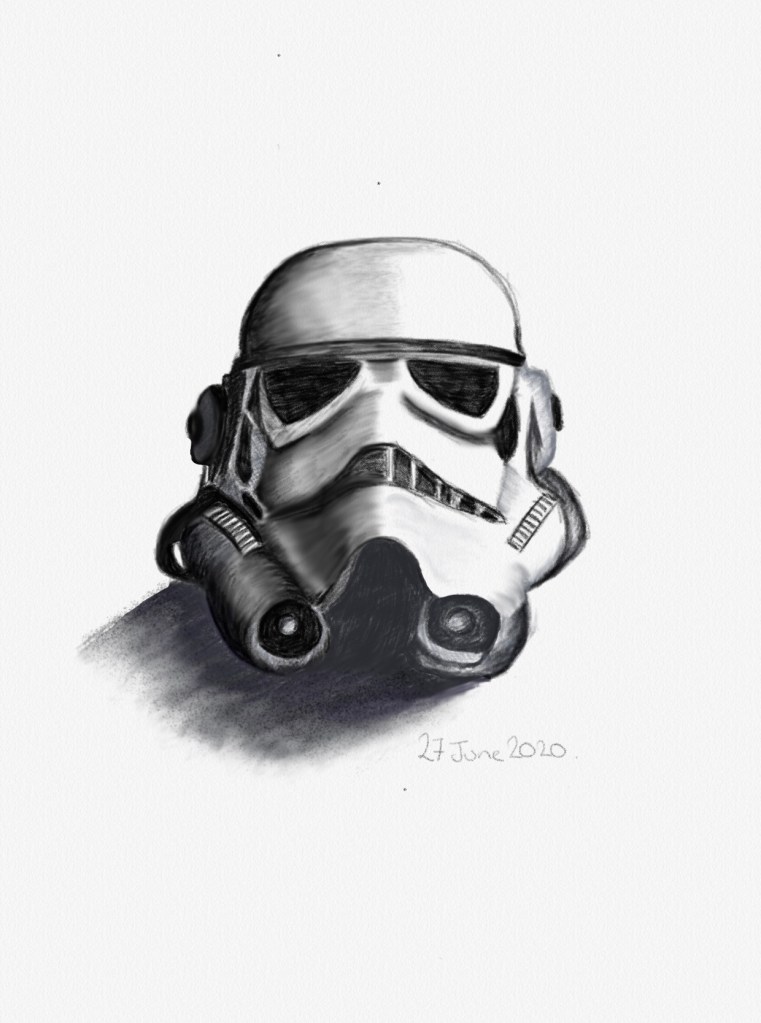
For my first attempt at digital drawing, I’m really pleased with the finished product. What I like about Linea Sketch is that you can look at a recording of how you completed your drawing. I need to familiarise myself further with how Linea Sketch works and perhaps I can look at tutorials for this. I think that it is quite effective, and I particularly like the blending tool.
Looking at the eyes on the helmet, the left eye (as you look at the helmet) is a slightly different shape to the other and could have done with being slightly rounder on the outside edge. There are other areas of the helmet that need slight amendments, but overall, I’m really pleased with my first attempt at digital drawing. My husband is really pleased with it and wants to print it out and have it framed.
I will be doing other drawings using this media, and next time I will look at completing the drawing in colour as there are a few colour palettes to use with different shades for each colour.
 Genie Art
A fantastic first attempt! Looking forward to seeing more!
LikeLiked by 1 person
It’s so good!!
LikeLiked by 1 person
Thank you. I haven’t had a lot of practice with drawing on my iPad and need to find the time to do that It’s ideal if I don’t want to take out my sketch book and pencils, but still want to draw.
LikeLiked by 1 person